


Fall is here—and with that comes three important updates to Church360° Members church management software! Keep reading to learn about Congregant Access (allowing individuals to securely change their own contact information), the new customizable Dashboard, and the CSV Import feature.
Congregant Access
 Your membership database is full of addresses, phone numbers, email addresses, and other contact information. How much of it is up to date?
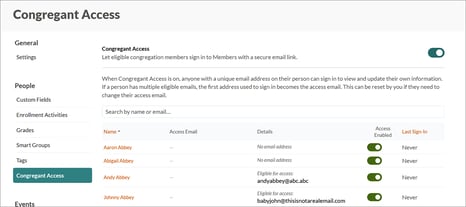
With new Congregant Access, people in your congregation can manage their own contact information. Anyone with an Individual profile with a unique email address can sign in and update details—no password or staff log-in needed.
This feature is on an opt-in basis, meaning Congregant Access stays off until a People Administrator turns it on.
For Your Congregants
| What Congregants Can See and Edit | What Stays with Your Staff |
| Their name and profile photo | Household member additions/removals |
| Their address, including marking themselves as “away” or marking the address unlisted | Relationship edits |
| Phone numbers: add, edit, mark unlisted, and set as preferred | Membership status |
| Email addresses: add, edit, mark unlisted, and set as preferred | Living/deceased status |
Church360° Dashboard
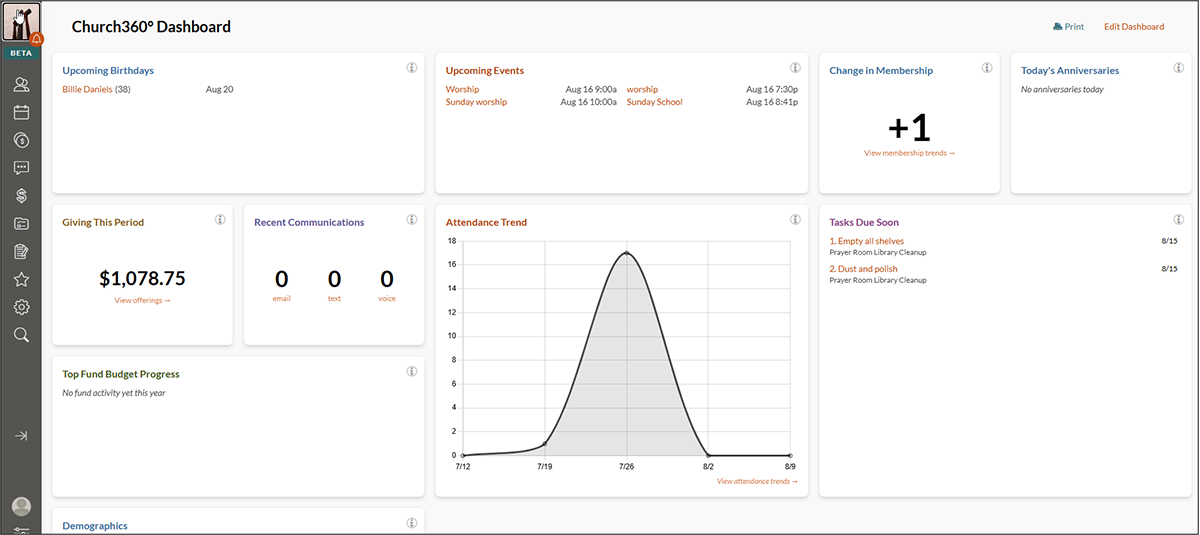
We’re pleased to introduce the Church360° Dashboard. This is a customizable page where you can choose from dozens of widgets, including the following:
- Upcoming birthdays
- Upcoming events
- Change in membership
- Anniversaries
- Giving this period
- Attendance trends
- Tasks due soon
Your Dashboard is your own, so changes you make won’t affect other users’ dashboards. You can even choose to make the Dashboard your home page.
Importing People from CSV
 Finally, we’ve unveiled a new importing feature. While previously users could only add people one-at-a-time, the CSV importer enables users to add larger groups of people at once from a spreadsheet.
Only three fields are required for import: First Name, Last Name, and Membership (Yes/No), but you can include any additional custom fields you wish.
Make sure to double-check the imported data to be certain you’ve mapped the data fields properly. We’re confident this will save lots of valuable time for churches adjusting their membership records.
Are you ready to get started with these new tools?
|
The Information You Need, at Your Fingertips
As you head into the final quarter of the year and navigate all the administrative processes it brings, we hope these updates are helpful for you and your team. From keeping contact information up to date to seeing your favorite widgets at a glance, fall updates in Church360° are ready for you to explore.
Visit the Church360° Members Help Center for more detailed information on these features.